
AI & Digital Skills · Phones, Tablets & Computers
Getting Started with AI
Read one step. Try it. Check the result.
PDF · 6 pages · Large print · 158 KB
Before you begin
AI means artificial intelligence. An AI chat tool is software you can ask for help. Ask a trusted person to help choose and open a tool; setup and account steps differ.
Use everyday words. Ask a question, read the suggestion, then ask again. Keep secrets out and check important answers. These are fictional teaching examples; screens and answers vary.
Your first conversation
Start with an AI chat tool open
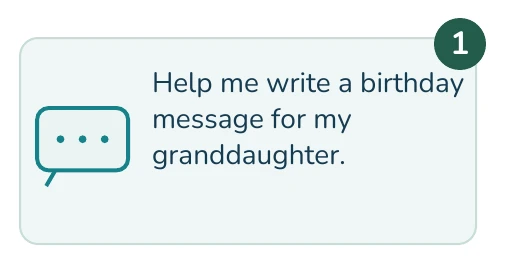
1. Write a simple request.
Type the example shown. Leave out real names.
Next: Click or tap Send.
2. Read the suggestion.
AI offers words you may use. Your answer may look different.

Next: Decide what you want to change.
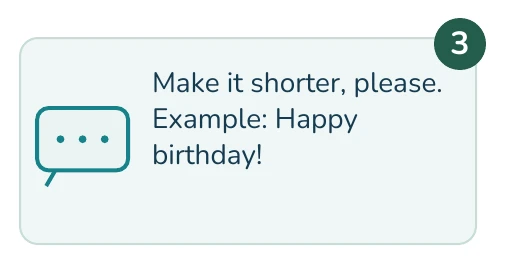
3. Ask for one change.
Type: Make it shorter, please. You can keep asking for changes.
Next: Click or tap Send again.
More everyday uses
Give a little useful detail
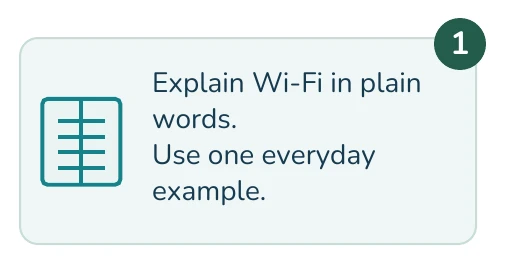
1. Ask about a new word.
Use the example on the right. Ask for plain language.
Next: Send your question.
2. Ask for a simple idea.
Describe what you have. Leave out private health details.

Next: Send your request.
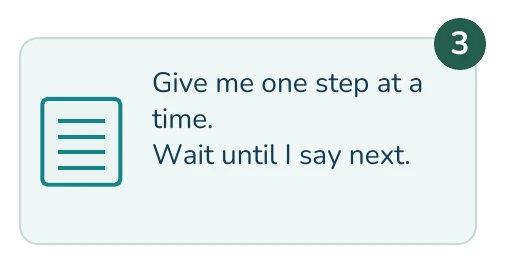
3. Ask for small steps.
Type: Give me one step at a time. You choose when to continue.
Next: Send your follow-up.
Protect your privacy
Pause before you share
1. Keep secrets out.
Never enter passwords, codes, bank details or ID numbers.
Instead: Use a made-up example.
2. Check a file before sharing.
Photos and documents may show names, addresses or health details.
![Illustrated example: Name: Example Person Address: [removed]](https://cyberguardia.io/wp-content/themes/cyberguardia/assets/guides/getting-started-with-ai/step-08.webp)
Next: Remove private details first.
3. Ask about privacy settings.
Settings differ between tools. Do not assume a chat is private.
Next: Get help reviewing the settings.
Check important answers
AI can sound sure and still be wrong
1. Check names and facts.
Read the answer carefully. AI can invent facts and sources.
Next: Verify before you rely on it.
2. Use a trusted source.
Check the actual official website. A link from AI is not proof.
Next: Confirm the information there.
3. Ask a qualified person.
For health, money or legal decisions, speak to a professional.
Next: Confirm before taking action.
Recognize AI scams
A familiar voice is not proof
1. Pause an urgent request.
Scammers can copy voices and create convincing images.
Next: Do not send money or codes.
2. Call a number you know.
End the suspicious call. Use a saved, trusted number.
Next: Check with the real person.
3. Choose one safe practice.
Try a birthday message or a simple word explanation.
Need help? Call (301) 300-1716.
Keep learning at your pace
Start with a birthday message or an explanation of a new word. You choose what to keep and when to stop. For patient coaching, call (301) 300-1716.
Sources
NIST: Generative AI Profile (PDF) · FTC: Fake Emergency Scams. Reviewed October 20, 2026.